
























Last year, Microsoft’s 13-inch Surface Laptop quickly became one of my favorite thin-and-light Windows notebooks. At $900, it was easy to recommend to anyone wanting MacBook Air–like build quality and battery life on Windows — I even convinced my sister to buy one on sale.
But that was last year. This year, thanks to RAMageddon, that same laptop costs $950, and now that price gets you half as much RAM — just 8GB. It’s the same great hardware on the outside, but it’s not the same laptop on the inside.
It’s been a long time since we tested a Windows laptop with so little RAM. We’ve been saying for years that 8GB isn’t enough. But this is Microsoft’s laptop, and Windows 11 is Microsoft’s operating system. Maybe it’ll be good enough.


$950
The Good
- Same great build, hardware, and battery life as last year
The Bad
- 8GB of RAM on Windows 11 isn’t enough
- Costs more than last year’s model, and with worse specs
- 256GB of storage feels more limiting now that SSD prices are through the roof
All the good things I wrote about last year’s hardware still ring true: The keyboard is nice and tactile, the trackpad is great (only outdone by ones that allow you to click corner-to-corner), the webcam is sharp and clear, and the battery goes and goes — easily lasting 10 hours. The processor, an eight-core Snapdragon X Plus, is nearly identical to the one in the Surface Laptop I reviewed last year. In fact, it has a slightly faster boost speed. In last year’s Surface Laptop, it was a solid performer and could even handle light photo editing in Lightroom Classic. But last year’s model had 16GB of RAM. It turns out that makes a big difference.
- Screen: B
- Webcam: B
- Keyboard: B
- Trackpad: B
- Port selection: C
- Speakers: C
- Number of ugly stickers to remove: 0
While the 8GB Surface was usually fine for basic web browsing or video streaming, I occasionally nudged it a bit too far in everyday use. I was on a Microsoft Teams call (using the app, not a browser) when the host streamed a brief video, which made the whole laptop hang for several seconds. At the time, I had about 10 Chrome tabs open across two desktops, alongside Slack and Signal — not an obscene level of multitasking. And we didn’t even have our webcams on.
The Surface Laptop would hang for a few seconds like this several times a day, even when I thought I wasn’t pushing it too hard. I’ve had these temporary freezes while just working in some Google Docs — no Teams call running or anything streaming in the background. It’s only a couple times a day on average, but that’s still too often.

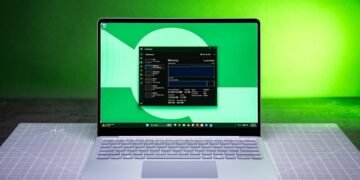
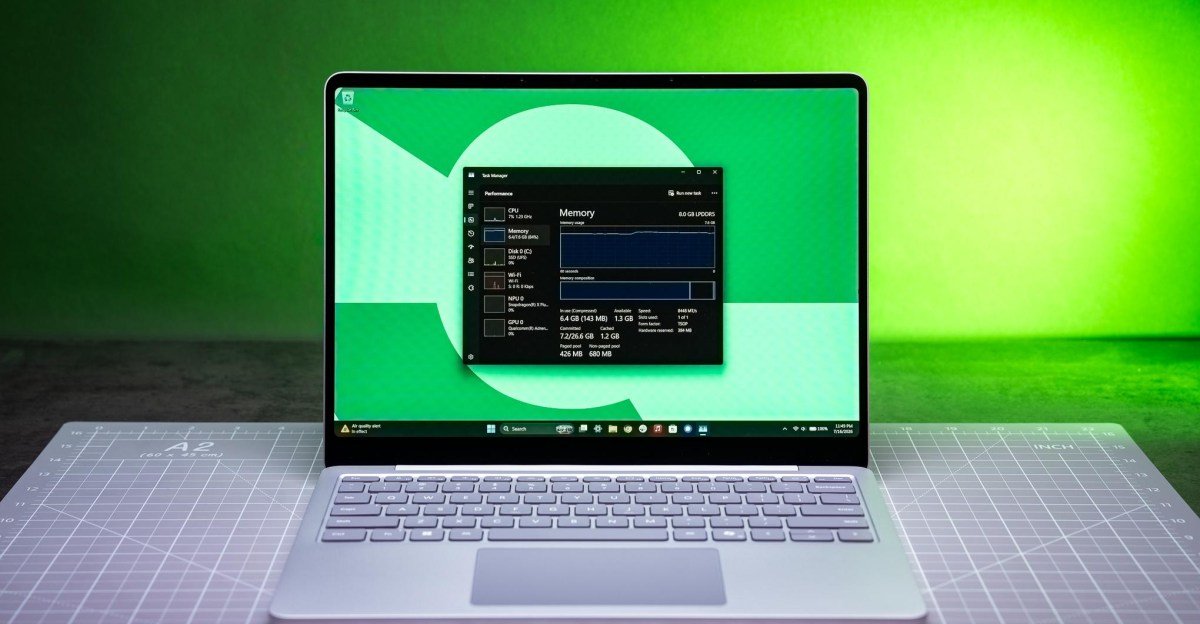
Keeping the Performance tab open in Task Manager showed I was almost always using around 6.7GB of the available 7.6GB of available memory. After a fresh reboot with bare minimum startup apps running, Windows was using 4.2GB of RAM. That’s around the minimum Microsoft requires just to run Windows 11, highlighting how little headroom there is with 8GB of RAM. Limiting myself to about six Chrome tabs, closing Signal, and refraining from using any virtual desktops kept the memory usage to about 5.5GB.
Is this all workable for light loads? Yes. Do I want to live my life being super cautious about how many apps I’m running and how many tabs I leave open on a brand-new $950 laptop? Absolutely not. And if it’s choking on day one, how usable is it going to be in five years?
The same concerns can be said of the MacBook Neo, which also has just 8GB of RAM. But macOS is a bit better with RAM — and more to the point, in my testing, the Neo could handle more multitasking. A Neo won’t have the shelf life of a MacBook Air, but it also costs $250 less than the Surface Laptop (even after Apple’s recent price increase).
Microsoft has claimed its focus this year is improving the performance of Windows 11 and making it more reliable, especially for lower-cost hardware, to compete with the Neo. But if we’re really going back to 8GB as the starting point for Windows laptops, there’s a lot more work to be done. It’s of course ironic that Microsoft needs to address this problem when it’s one of the major perpetrators of the ongoing RAM crunch. Perhaps Microsoft doesn’t care that its flagship Surface line will suffer for its AI obsession, but it still sucks to see.
We haven’t reviewed a Windows laptop with just 8GB of RAM in more than three years. Unfortunately, the Surface Laptop won’t be the last. The recent Computex show also brought announcements for upcoming laptops with 8GB of memory from Dell, Acer, and Asus. With the RAM shortage likely to last years, we’re going to see more and more 8GB offerings so manufacturers still have something “entry-level” to offer.
But if even Microsoft can’t make a Windows laptop that runs well on 8GB RAM, what hope do OEMs have? 8GB is not enough for a Windows laptop in 2026. Barring Microsoft actually de-bloating Windows 11 enough to accommodate lower-spec computers, your best bet is to spend more and get something with 16GB of RAM — like the same Surface Laptop for $1,150, something from another manufacturer that still sees some decent sales, or look into refurbs and open-box models from reputable sources. Or just cop out and get a MacBook Neo.
Prices could still go up. The $950 8GB Surface Laptop of today could very well be the $1,050 8GB Surface Laptop of next year, or the $1,200 8GB Surface Laptop of the following year.
This is our new normal for computing. The 13-inch Surface Laptop initially offered respectable tradeoffs for a fair discount — “a little less for a little less,” as I put it then. Now the new base model offers even less for more. RAMageddon has altered the deal. It’ll probably get worse.
2026 Microsoft Surface Laptop 13-inch (8GB) specs (as reviewed)
- Display: 13-inch (1920 x 1280) 60Hz touchscreen
- CPU: Qualcomm Snapdragon X Plus X1P-46-100
- RAM: 8GB LPDDR5X (non-replaceable)
- Storage: 256GB UFS
- Webcam: 1080p
- Connectivity: Wi-Fi 7, Bluetooth 5.4
- Ports: 1x USB-A 3.1, 2x USB-C 3.2, 3.5mm combo audio jack
- Biometrics: Fingerprint sensor in power button
- Weight: 2.7 pounds
- Dimensions: 11.25 x 8.43 x 0.61 inches / 285.8 x 214.1 x 15.5mm
- Battery: 50Wh
- Price: $949.99
Photography by Antonio G. Di Benedetto / The Verge
Benchmark comparisons
Microsoft Surface Laptop 13-inch (2026) / Qualcomm Snapdragon X Plus X1P-46-100 / 8GB / 256GB |
Microsoft Surface Laptop 13-inch (2025) / Qualcomm Snapdragon X Plus X1P-42-100 / 16GB / 512GB |
MacBook Neo / Apple A18 Pro / 8GB / 256GB |
MacBook Air 15 / Apple M5 / 16GB / 1TB |
Acer Aspire 14 AI / Intel Core Ultra 7 256V / 16GB / 1TB |
Lenovo IdeaPad Slim 3x / Qualcomm Snapdragon X X1-26-100 / 16GB / 256GB |
|
|---|---|---|---|---|---|---|
| CPU cores | 8 | 8 | 6 | 10 | 8 | 8 |
| GPU | Adreno X1-45 | Adreno X1-45 | A18 Pro (5 GPU cores) | M5 (10 GPU cores) | Intel Arc 140V (8 GPU cores) | Adreno X1-26 |
| Geekbench 6 CPU Single | 2348 | 2437 | 3402 | 4175 | 2769 | 2137 |
| Geekbench 6 CPU Multi | 9421 | 11427 | 8508 | 16567 | 10930 | 9728 |
| Geekbench 6 GPU (OpenCL) | 9554 | 9391 | 19798 | 47661 | 28556 | 9689 |
| Cinebench 2026 Single | 442 | 417 | 518 | 727 | Not tested | Not tested |
| Cinebench 2026 Multi | 2458 | 2643 | 1466 | 3413 | Not tested | Not tested |
| PugetBench for Photoshop | 2887 | 4773 | Not tested | 11513 | Not tested | Not tested |
| PugetBench for Premiere Pro (2.0.0+) | Crashed | Crashed | Not tested | 61861 | Not tested | Not tested |
| Blender classroom test (seconds, lower is better) | 509 | 486 | Not tested | 46 | Not tested | Not tested |
| Premiere 4K Export (lower is better) | Crashed | Crashed | 8 minutes, 30 seconds | 2 minutes, 53 seconds | 7 minutes, 28 seconds | 12 minutes, 59 seconds |
| Sustained SSD reads (MB/s) | 3804.31 | 3840.78 | 1735.91 | 7049.45 | 6391.51 | 5738.86 |
| Sustained SSD writes (MB/s) | 3310.94 | 3476.62 | 1684.05 | 7480.55 | 5524.22 | 2801.02 |
| Price as tested | $949.99 | $1,249.99 | $699 | $1,799.00 | $1,049.99 | $749.99 |