

















Dell XPS 13 Plus Hands-On: Is That… a Touch Bar?
Dell has made significant strides in the ultrabook market, particularly with its XPS lineup, which is celebrated for its premium design, impressive performance, and stunning displays. With the launch of the new Dell XPS 13 Plus, the company seems poised to challenge the status quo once again. While it’s packed with high-end specs and aesthetics, there’s one feature that has sparked both intrigue and controversy: the touch-sensitive function area, often likened to Apple’s Touch Bar.
Design and Build Quality
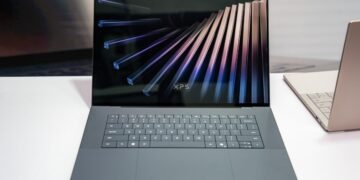
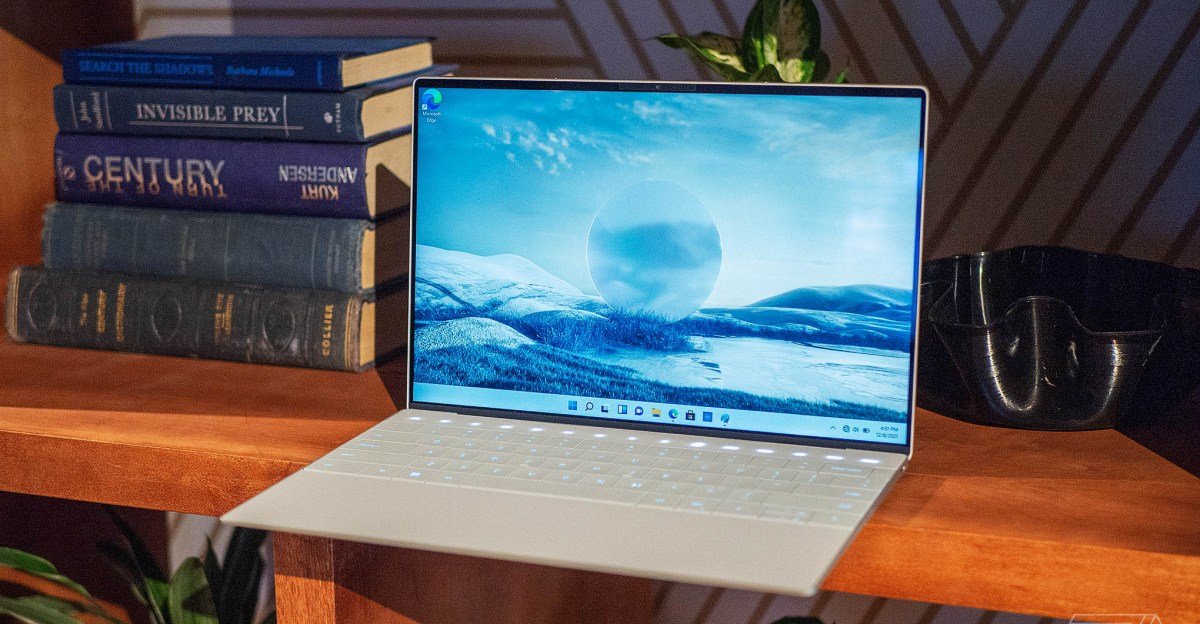
Out of the box, the Dell XPS 13 Plus continues the tradition of elegant and sleek design that the XPS series is known for. The laptop features an aluminum chassis that not only looks modern but also feels incredibly sturdy. The edge-to-edge Gorilla Glass display is a highlight, and the thin bezels make the laptop feel almost futuristic.
Dell’s choice to omit the traditional palm rest and replace it with a seamless glass surface is a bold design decision. This is where we first encounter the so-called “function row,” which is devoid of physical buttons and instead employs a row of touch-sensitive controls.
The Touch-Sensitive Function Row
This is perhaps the most polarizing feature of the Dell XPS 13 Plus. The function keys, volume controls, and other shortcuts are now represented by a sleek, touch-sensitive strip. At first glance, it resembles Apple’s Touch Bar, a feature that received mixed reactions during its time in the limelight.
The touch bar allows for contextual controls, adapting to different applications. For example, when using a media player, the touch strip changes to show play, pause, and skip options. While this offers flexibility and adaptability, the question remains: is it truly an improvement over traditional function keys?
Performance and Usability
In terms of performance, the Dell XPS 13 Plus does not disappoint. Equipped with Intel’s latest 12th-generation processors, it delivers exceptional speed and efficiency. The model we tested had 16GB of RAM and a speedy 1TB SSD, making it capable of handling intensive tasks such as video editing and heavy multitasking without breaking a sweat.
The keyboard, while different due to its seamless design, provides a surprisingly responsive typing experience. However, users accustomed to tactile feedback from traditional function keys might find the transition challenging. The touch-sensitive area requires a bit of getting used to, as the lack of physical separation means accidental touches could become a common issue for some users.
Display and Audio
The display on the XPS 13 Plus is nothing short of stunning. With a 13.4-inch OLED panel, the colors are vibrant, and the contrast is impressive. Two resolution options, Full HD+ (1920 x 1200) and 3.5K (3456 x 2160) are available, allowing users to choose based on their needs and preferences.
The audio quality has also been enhanced, utilizing a quad-speaker design for a more immersive audio experience, which is a notable upgrade for watching videos or listening to music on the go.
Battery Life
One of the critical aspects of any ultrabook is battery life. The Dell XPS 13 Plus holds its own here, averaging around 10-12 hours under a mix of productivity tasks and media consumption. While not the absolute best in class, it is certainly competitive, ensuring you can get through a full workday on a single charge.
Conclusion: Is It Worth It?
The Dell XPS 13 Plus is undoubtedly a beautiful and powerful ultrabook that showcases Dell’s commitment to innovation. The touch-sensitive function row is a mixed bag; while it offers a sleek and modern interface, it may not appeal to everyone, particularly those who prefer the tactile feedback of traditional keys.
As for the question of whether it revolutionizes the user experience: that remains to be seen. For some, the adaptation may come naturally and enhance productivity; for others, it could lead to frustration. Ultimately, the decision to embrace this feature will depend on individual preferences.
If you’re in the market for a high-performance ultrabook that pushes design boundaries, the Dell XPS 13 Plus may just be worth considering. As with any tech, hands-on experience will help users determine if the innovation truly enhances the overall productivity or if it’s just another gimmick.