















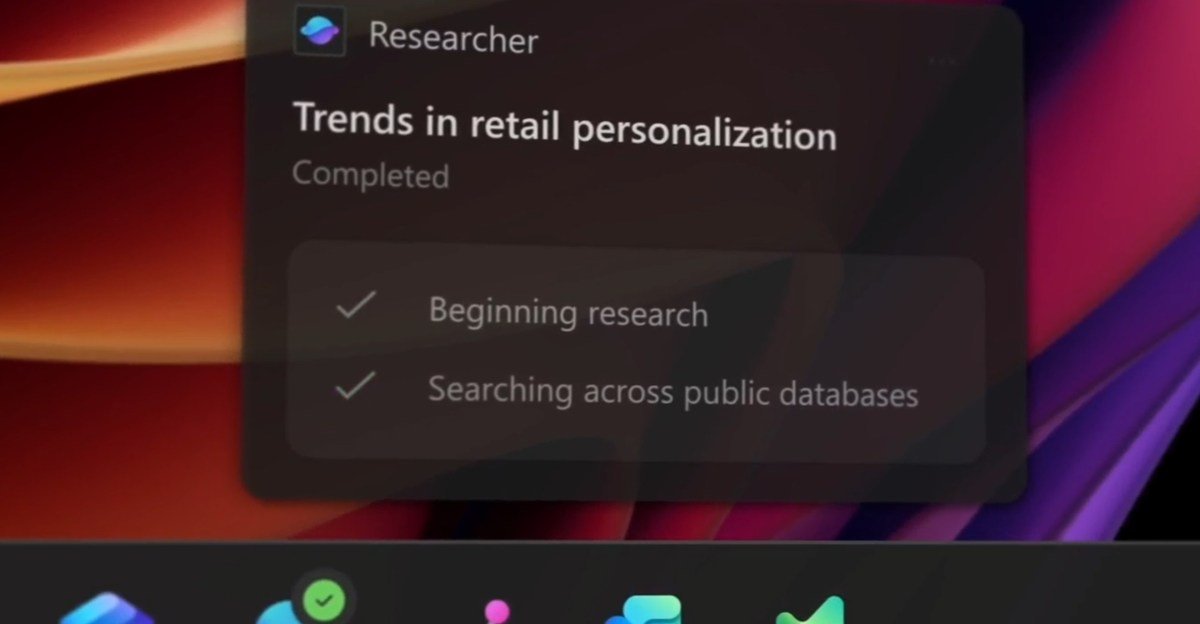
Microsoft’s Ambitious Vision: Turning Windows into an ‘Agentic OS,’ Starting with the Taskbar
For decades, Windows has been the dominant force in personal computing, a passive canvas for users to execute their digital lives. But Microsoft is aiming to change that, embarking on a journey to transform Windows into an “agentic OS” – an operating system that actively anticipates your needs and assists you proactively. And the starting point for this evolution? The humble taskbar.
The concept of an agentic OS is ambitious. It envisions a future where Windows isn’t just a platform, but a helpful partner that understands your workflow, learns your habits, and offers assistance before you even realize you need it. This isn’t just about smarter search or improved recommendations; it’s about creating a symbiotic relationship between the user and the OS, where the system actively participates in achieving your goals.
The Taskbar: Ground Zero for the Agentic Revolution
Microsoft’s approach to this transformation is incremental, and the taskbar is proving to be the perfect launchpad. Recent updates and future plans suggest a clear roadmap towards a more intelligent and proactive taskbar experience. Here’s how:
-
Enhanced Search and Prediction: The taskbar search is already evolving beyond simple keyword lookups. Microsoft is integrating AI to understand context, anticipate your queries, and provide more relevant results, even before you finish typing. Imagine searching for “meeting notes” and the taskbar proactively suggesting the OneNote page you were working on yesterday, or offering to start a new recording in Teams.
-
Proactive Notifications and Reminders: The taskbar notification area is becoming more intelligent, offering personalized reminders and alerts based on your calendar, location, and activity. This could range from reminding you about an upcoming appointment to suggesting you leave for the airport based on real-time traffic data.
-
Integration with AI Copilots: The integration of AI copilots, like the rumored “Copilot in Windows,” directly within the taskbar is a game-changer. Imagine having a readily accessible AI assistant that can summarize documents, draft emails, control smart home devices, and even debug code directly from your taskbar. This represents a significant leap towards a more proactive and intuitive computing experience.
-
Adaptive UI and Contextual Actions: The taskbar itself could become more adaptive, dynamically displaying relevant icons and controls based on your current activity. For instance, when you’re in a video call, the taskbar might automatically surface microphone and camera controls. This contextual awareness streamlines workflows and reduces the need to constantly navigate menus.
Beyond the Taskbar: A Holistic Transformation
While the taskbar is the initial focus, Microsoft’s vision extends far beyond. The ultimate goal is to weave agentic capabilities throughout the entire Windows experience, impacting everything from file management to application interactions. This could involve:
-
AI-powered File Organization: Imagine Windows automatically categorizing and tagging your files based on content and context, making it easier to find what you need without manual organization.
-
Smart Application Suggestions: Windows could learn which applications you use together for specific tasks and proactively suggest launching them as a group.
-
Adaptive Performance Optimization: The OS could dynamically adjust system resources based on your workload, prioritizing performance for the applications you’re actively using.
Challenges and Concerns
While the potential benefits of an agentic OS are undeniable, there are also challenges and concerns to address:
-
Privacy: The collection and analysis of user data required for an agentic OS raises significant privacy concerns. Microsoft needs to be transparent about data collection practices and provide users with granular control over their privacy settings.
-
Performance Impact: Integrating AI and proactive features could potentially impact system performance, especially on older hardware. Microsoft needs to ensure that the agentic OS remains responsive and efficient.
-
User Control: Striking the right balance between proactive assistance and user control is crucial. The OS shouldn’t become intrusive or make decisions without user consent.
The Future of Windows
Microsoft’s push towards an agentic OS is a bold and ambitious undertaking. By starting with the taskbar and gradually expanding these capabilities throughout Windows, Microsoft is laying the foundation for a more intelligent, proactive, and ultimately more helpful computing experience. Whether they can successfully navigate the challenges and concerns remains to be seen, but one thing is certain: the future of Windows is shaping up to be far more than just a passive operating system. It’s striving to become a true partner in your digital life.