


























Talking to Windows’ Copilot AI Makes a Computer Feel Incompetent
Windows Copilot, Microsoft’s foray into deeply integrated AI assistance, promises to revolutionize how we interact with our computers. Imagine a digital companion capable of answering questions, summarizing documents, and even controlling your system with just your voice. The reality, however, can be a far cry from this utopian vision, often leaving you feeling less like a master of your machine and more like a frustrated babysitter.
The problem isn’t necessarily with the AI itself. Copilot is built on powerful language models, capable of impressive feats of natural language processing. The issue lies in the inherent limitations of integrating such a complex system into the existing framework of Windows. In many cases, Copilot ends up highlighting the inherent “incompetence” of a machine designed to be controlled by clicks and menus, making the entire experience feel clunky and inefficient.
The Promise vs. The Reality:
-
Promise: Effortlessly adjust settings with voice commands. “Dim the screen to 50%.”
-
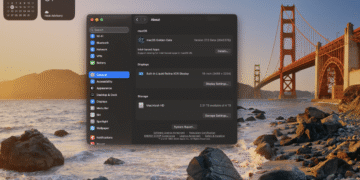
Reality: Copilot might understand your request, but then direct you to the settings menu, where you still have to manually adjust the slider. The AI acted as a glorified search engine, adding an unnecessary step to a simple task.
-
Promise: Quickly summarize long documents or articles. “Summarize this article for me.”
-
Reality: Copilot may struggle with complex formatting or be unable to access the content directly, forcing you to copy and paste the text into its chat window. This defeats the purpose of a seamless, integrated experience.
-
Promise: Streamline workflows by automating repetitive tasks. “Create a to-do list with these items.”
-
Reality: Copilot might misunderstand your instructions or generate a list that requires significant manual editing. You often end up spending more time correcting the AI than doing the task yourself.
The Illusion of Control:
The core frustration stems from the illusion of control that Copilot offers. You expect it to act as an extension of your will, directly manipulating the system based on your verbal commands. Instead, you often get a paraphrased version of your request followed by instructions on how to perform the action manually. This makes the entire interaction feel redundant and even infantilizing.
The Incompetence Amplified:
Copilot’s limitations highlight the inherent “incompetence” of a traditional operating system. We’ve grown accustomed to navigating complex menus and manually tweaking settings, but the introduction of AI assistance exposes the inefficiency of these legacy systems. We realize how much time and energy we spend performing tasks that could be automated with a truly intelligent and seamlessly integrated assistant.
The Future of AI and Operating Systems:
While Copilot in its current state might not be the revolutionary assistant we hoped for, it does offer a glimpse into the future of human-computer interaction. As AI technology continues to evolve and operating systems are redesigned to better accommodate these advancements, we can expect to see a more seamless and intuitive experience.
For now, talking to Windows’ Copilot can feel like a frustrating exercise in patience. It’s a reminder that while AI has made significant strides, it still has a long way to go before it can truly replace the need for human intervention. Until then, we’ll continue to navigate the familiar menus and settings, knowing that our computers, despite their processing power, still need a little help from their human masters. Perhaps, in the future, the feeling will be mutual.